
SULIFLOW / TIME REGISTRATION
Hours are entered once.
Time registration is the app where employees enter their hours on their phones. The foreman approves them, and approved hours become the payroll basis and reports.
In daily use and continuously developed. The connection to external payroll systems is under development.
Web-based and installable as a PWA. Mobile view for employees, desktop view for foremen and operations managers.
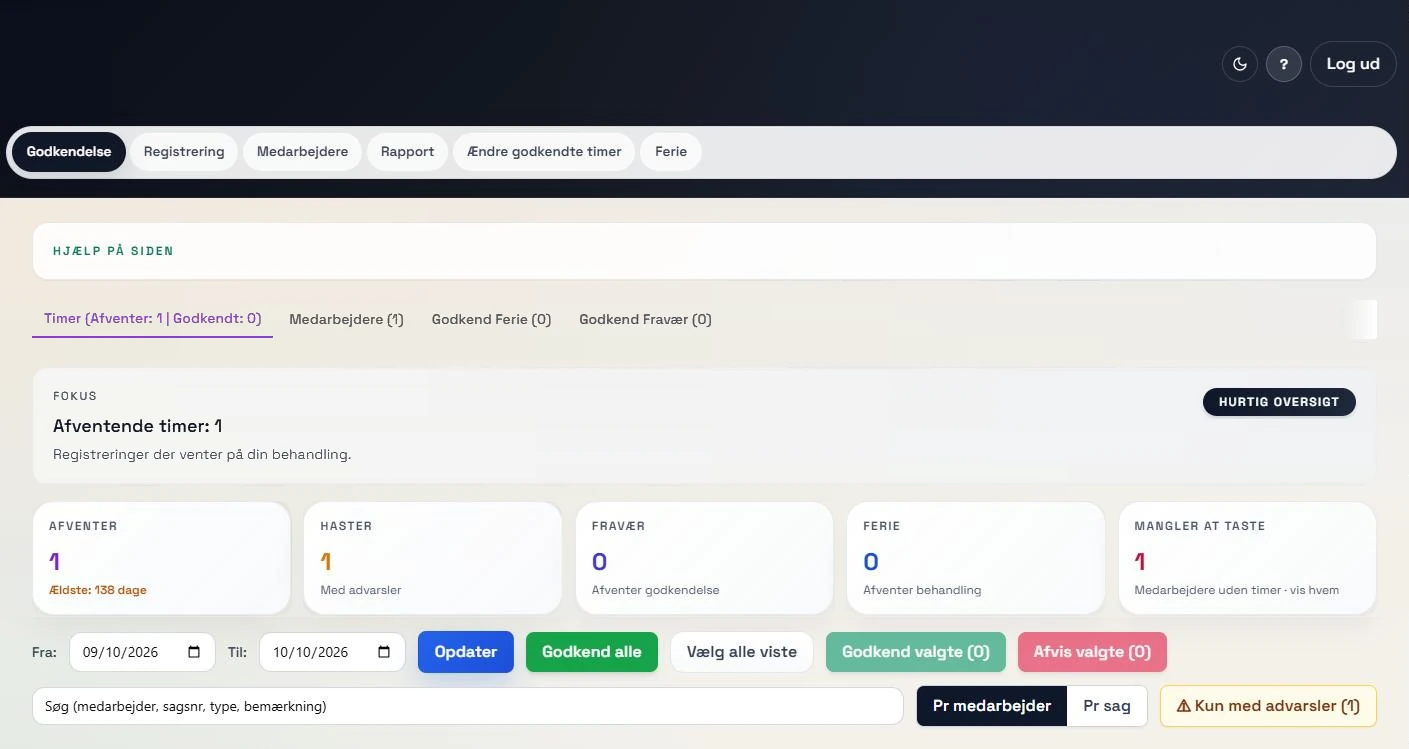 View larger screenshot
One entry all the way through.
The same entry is used for approval, the payroll basis and reports.
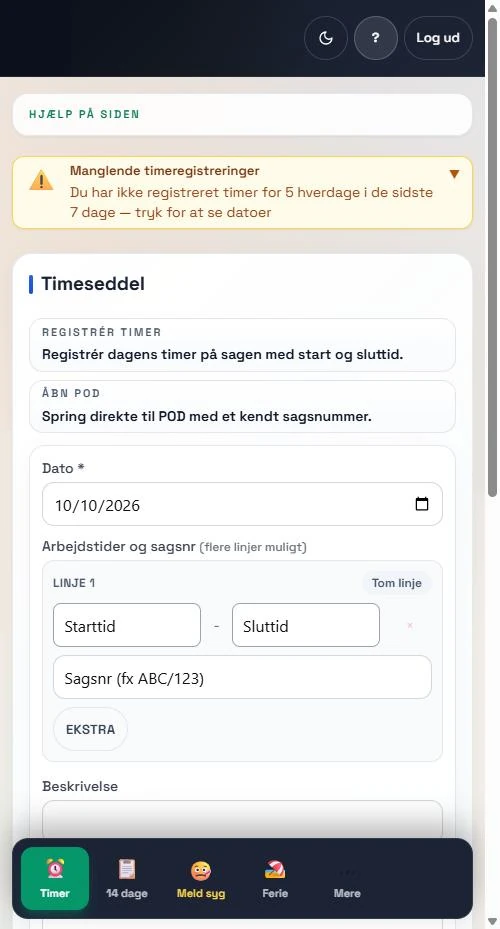
I developed Time registration for the moving industry. Employees enter the date, start and end time and case number directly on their phones.
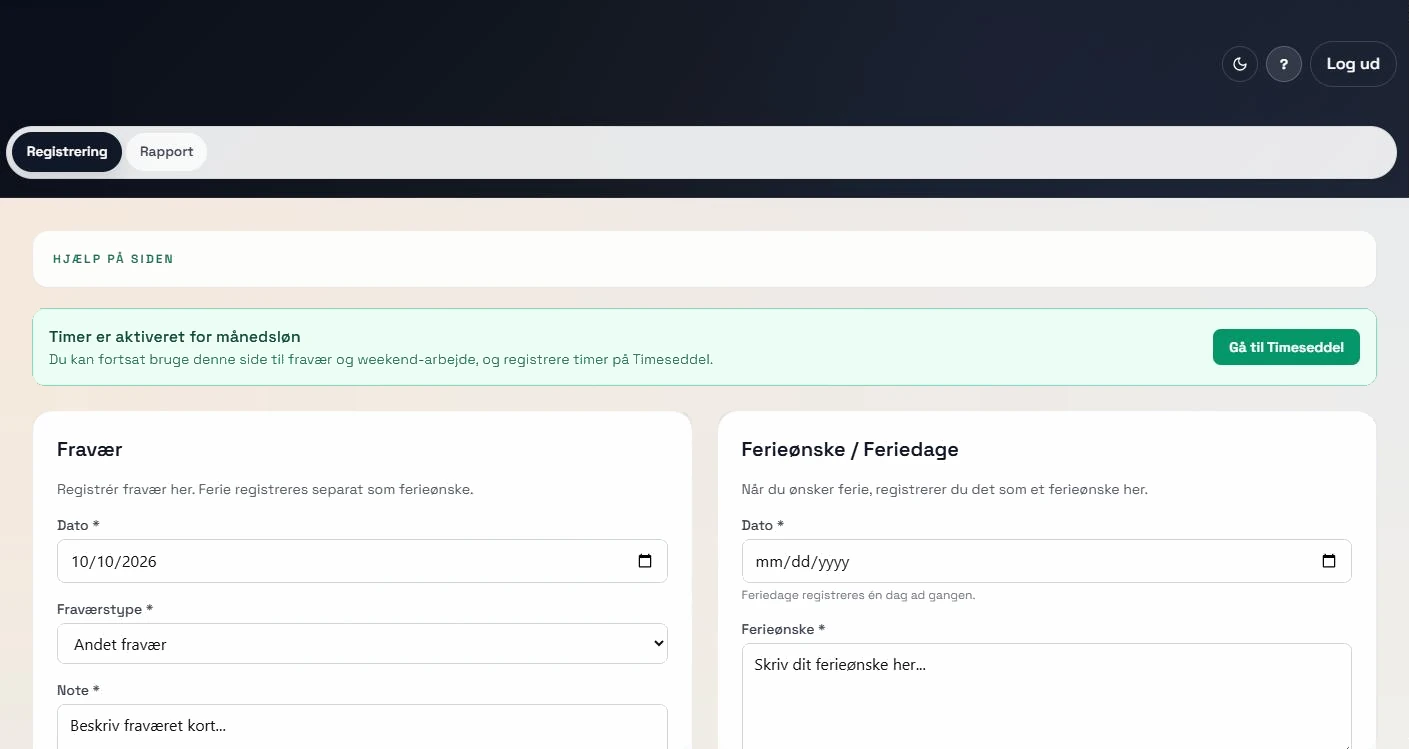
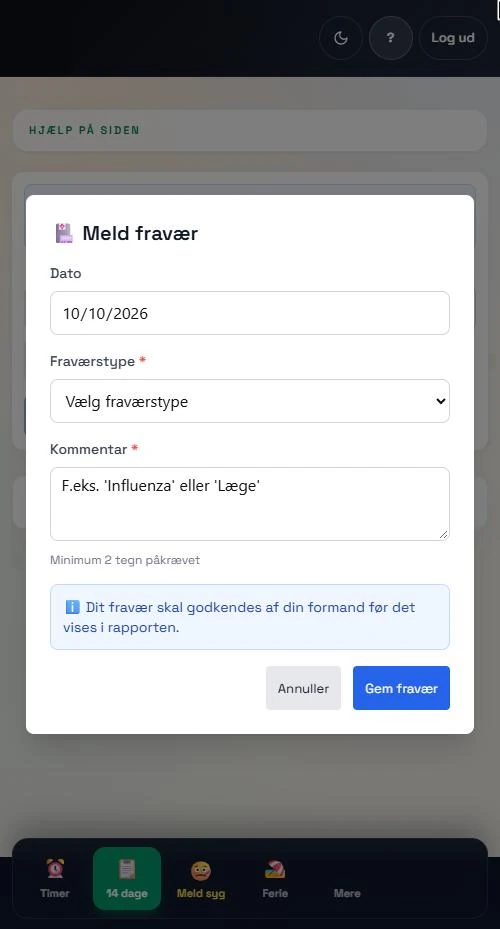
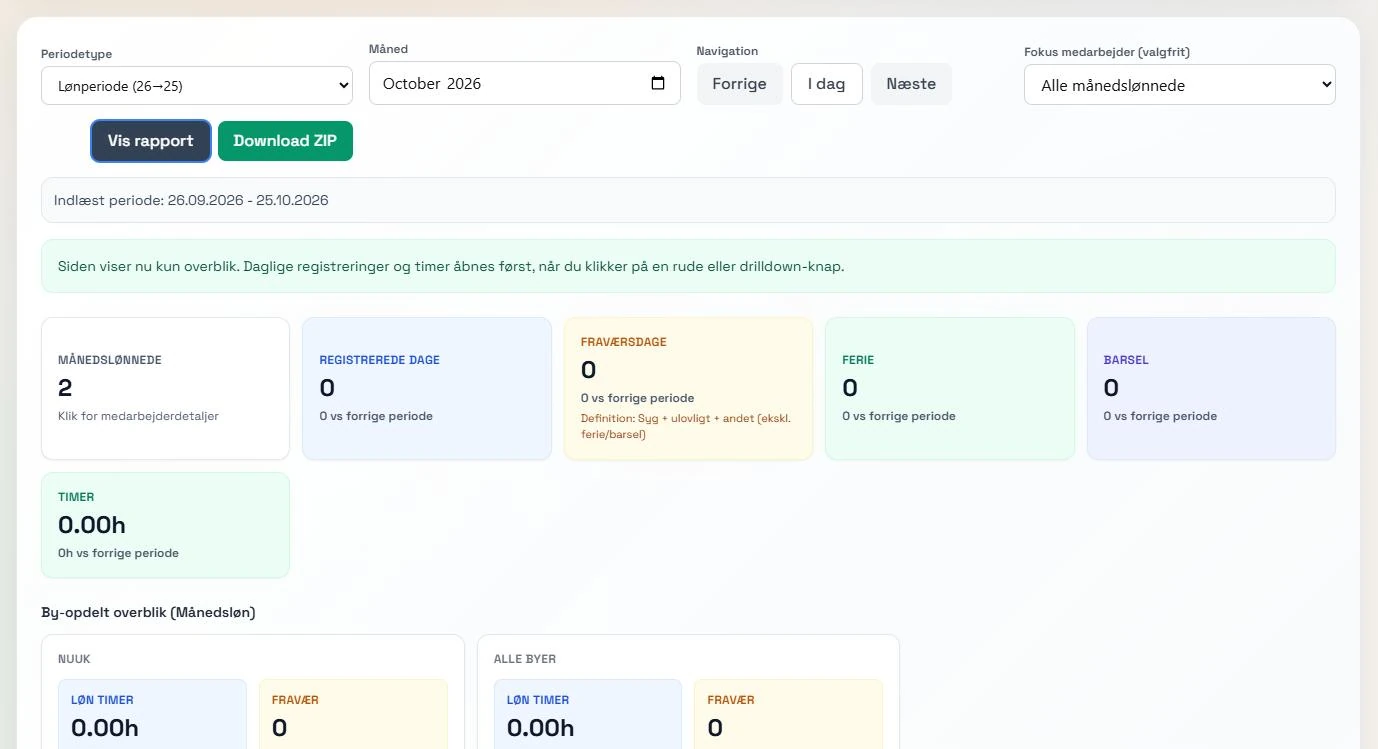
The app shows different screens depending on the role. Hourly staff use a simple mobile view. Salaried staff register absence, vacation wishes and weekend work. Foremen and operations managers work at a computer with approvals and reports.
The app calculates evening, night and holiday hours by itself, also when a shift runs past midnight. Overlapping entries are rejected, so the same hours are not counted twice.
I manage users, roles and who approves what in Login. I am now working on connecting Time registration to external payroll systems.
From the phone to the payroll basis.
Each entry follows a fixed path: the employee enters it, the foreman approves it, and approved hours move on to the reports.
- 01
The employee enters hours
Choose the date, enter start and end time and the case number. Heavy lifts are recorded on the same line. Without a connection, the entry is stored on the phone and sent when the connection is back.
- 02
The foreman approves
The foreman sees the team's pending hours. Long shifts, missing breaks and late entries are flagged. Hours can be approved in bulk or rejected with a reason.
- 03
Approved hours become reports
Only approved hours count towards the payroll basis. The foreman can download the 14-day report as a PDF, and the operations manager has reports for salaried staff, special registrations and unloading.
What the app does today.
Mobile view for employees
- Hours, the 14-day report, sick leave and vacation sit at the bottom of the screen. Everything else is under More.
Automatic calculation
- Evening, night and holiday hours are calculated from the start and end time. Shifts past midnight are included.
No double hours
- An entry that overlaps another one is rejected. The employee can adjust the existing entry, which then has to be approved again.
Approval with warnings
- The foreman can see who has not entered hours and how long the oldest entry has been waiting. Rejected hours are shown to the employee together with the reason.
Absence and vacation
- Employees can report sick and request vacation, including half days. Vacation is shown in a calendar and approved by the role chosen in Login.
Salaried staff
- Salaried staff register absence, vacation wishes and weekend work and can see an overview of their pay period.
Special registrations and unloading
- Patrols, call-outs, shifts, shop shifts and unloading can be switched on per employee. Unloading is recorded with the ship's name.
Invoicing basis per case
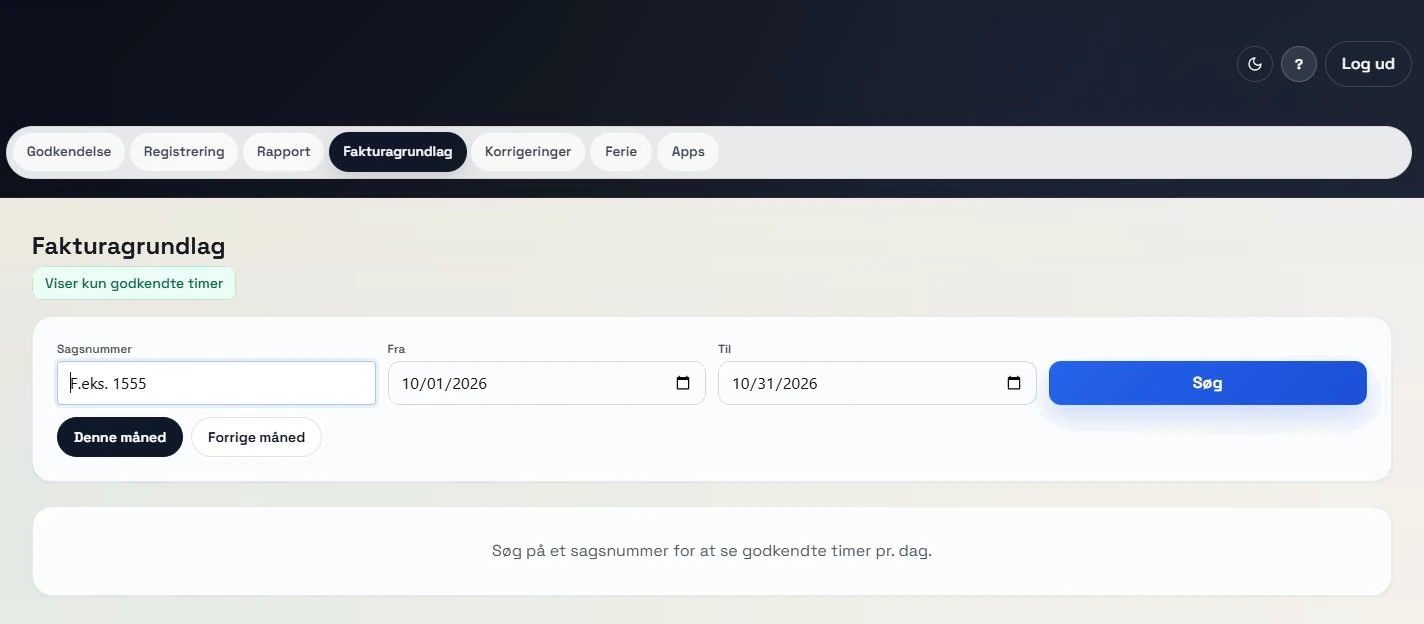
- With the right access, you can search for a case number and see the approved hours per day. Access is granted per user in Login.
Edit approved hours with history
- Approved hours can be edited or deleted with a note. Every change is saved, so you can see what it said before and after.
The payroll system is next.
Pay-code setup and an XML export are prepared but not yet part of the app's screens.
Planned
Connection to external payroll systems
I am working on connecting Time registration to external payroll systems through an API, so approved hours can move on without being entered again.
One app, different roles.
Screenshots from the test environment with synthetic data. Employees use the mobile view, while foremen, operations managers and the office work at a computer.
 View larger screenshot
 View larger screenshot
 View larger screenshot
 View larger screenshot
 View larger screenshot
An idea or a question?
Do you have questions about the systems or the story behind Sulitech? You are welcome to get in touch.