
SULIFLOW / TRAVEL EXPENSES
From travel dates to a finished settlement.
Travel expenses calculates per diem allowances, deductions and expenses as you type. The result is one PDF per person with accounting lines.
Runs as a web app. Under continuous development.
Web-based and installable as a PWA on computer and mobile. Access via shared Login.
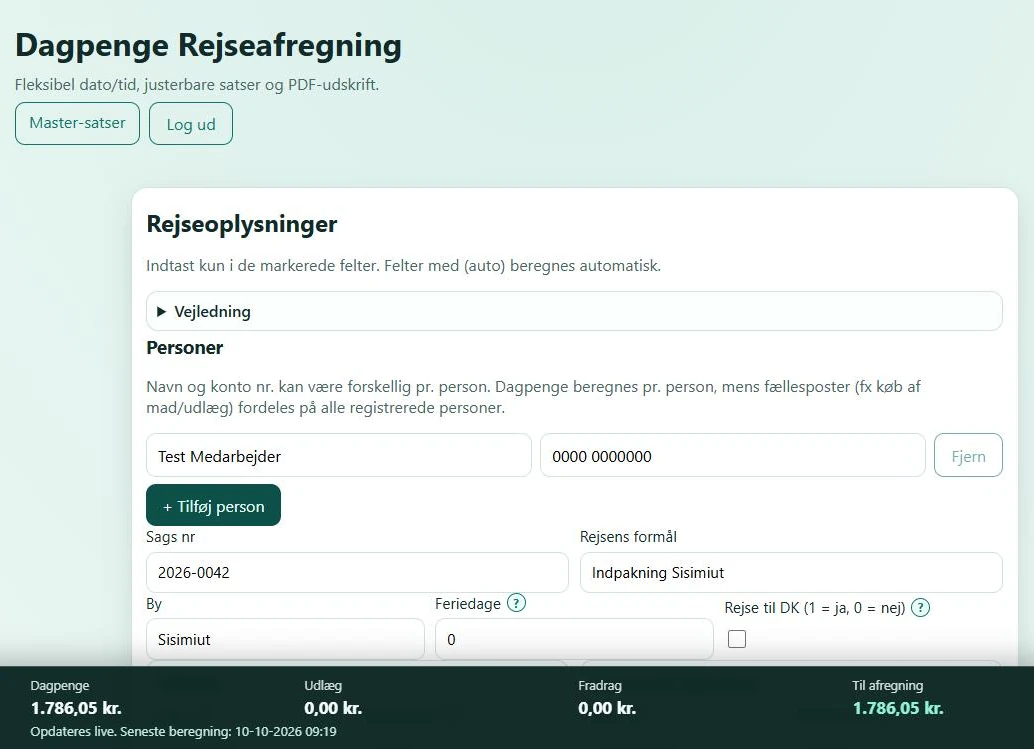 View larger screenshot
From spreadsheet to app.
The calculation is built to follow the spreadsheet the settlement used to be made in. Half-days, rates and deductions are now calculated the same way every time.
I developed Travel expenses to calculate per diem allowances for employees who travel for work. The fields and calculations follow the Excel sheet the settlement used to be made in.
You enter departure and arrival, and the app counts half-days and calculates the allowance straight away. Deductions for free meals, expenses, driving your own car, travel advances and private bills can be added when they apply.
When several people travel together, the allowance is calculated per person and shared costs are split evenly. Each person gets their own PDF. With several people, the PDFs are bundled in a ZIP file.
The app does not store settlements. It calculates and creates the PDF directly in the browser.
From travel dates to PDF.
The whole settlement is done in one form. Totals update as you type.
- 01
Enter people and case
Enter a name and account number for each person and the case number. The case number is required before the PDF can be created.
- 02
Enter departure and arrival
Dates and times can be typed in short form, such as 1206 and 0830. The app calculates the duration and half-days per started 12 hours.
- 03
Add deductions and expenses
Optional fields cover free meals, food purchases, hotel, tickets, taxi, driving your own car, travel advances and private bills.
- 04
Create the PDF
Each person gets a PDF with the calculation and accounting lines. With several people, they are bundled in a ZIP file.
What the app calculates for you.
Live calculation
- A bar at the bottom shows the allowance, expenses, deductions and the amount to be paid as you type.
Quick input
- Short formats such as 1206 and 0830 are turned into dates and times automatically. Excel time values are also understood.
Several people on one trip
- The allowance is calculated per person. Shared costs and food purchases are split between everyone.
PDF with accounting lines
- The PDF shows the trip, the calculation, the amount to be paid and accounting lines. Only lines with an amount are included.
Help next to the fields
- A question mark next to a field opens a short explanation. There is also a guide you can expand.
Rates and header
- The master user can adjust the rates and the PDF header with company name, contact line and logo. The settings are saved in the browser where they are changed.
Access via shared Login
- You sign in through SuliFlow's shared Login. Only users with access to Travel expenses can open the app.
The calculation at a glance.
Screenshots with made-up test data. The settlement was not saved, and no PDF was created.
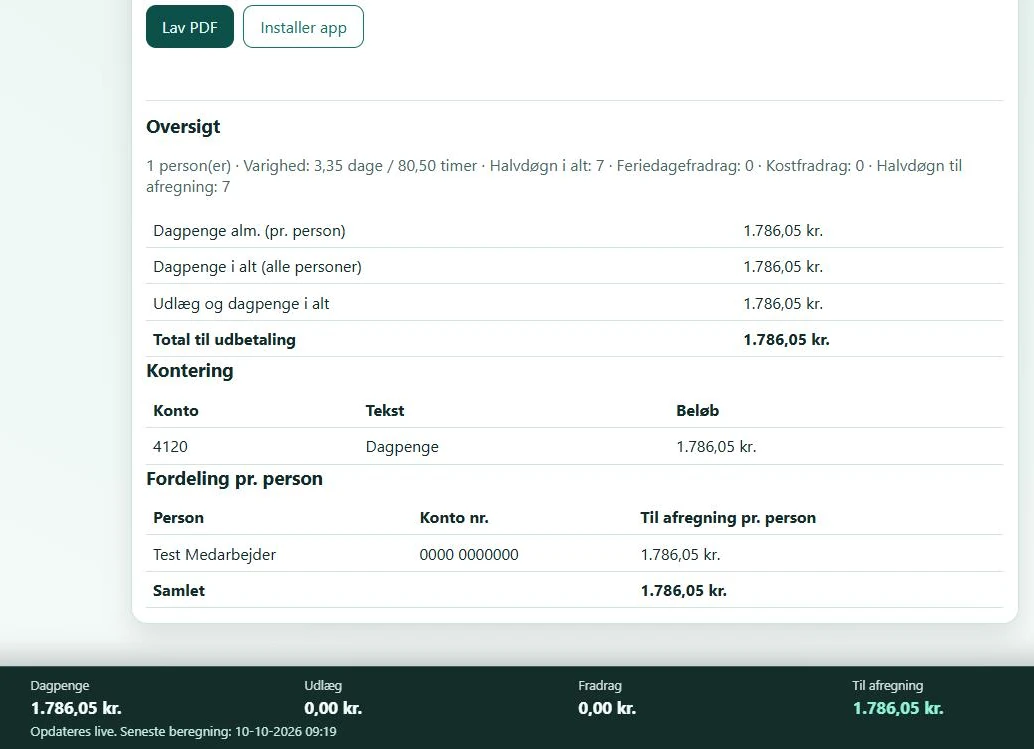 View larger screenshot
An idea or a question?
Do you have questions about the systems or the story behind Sulitech? You are welcome to get in touch.