
SULIFLOW / CASE MANAGEMENT AND FINANCE
From case to posted invoice.
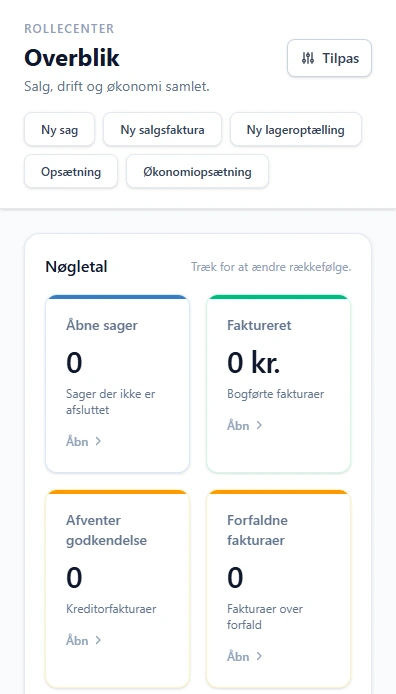
One app for move cases and finance. Tasks, costs and invoices belong to the case, and an invoice goes through approval before it is posted.
Under development. Not yet in production.
Web-based app in SuliFlow. Built for desktop.
 View larger screenshot
The case and the money belong together.
When tasks, costs and invoices sit on the same case, you can see what the case costs and what it earns.
I built the app to keep move cases and finance in one place. A case has a customer, addresses, dates, tasks and documents. Users come from Login, so the app has no separate user base.
The app started as a freight pricing tool. In the summer of 2026 I took the pricing out. Moving prices are now calculated in Price calculator, and the connection between the two apps has not been built yet.
The finance part has grown the most. A sales invoice goes from draft to approval and posting. Supplier invoices can be fetched from a mailbox or uploaded and linked to the case.
The app is not yet used in production. I am testing it and building on it.
How the case carries through.
The steps describe features in the development version. They are not a finished production workflow.
- 01
Create the case
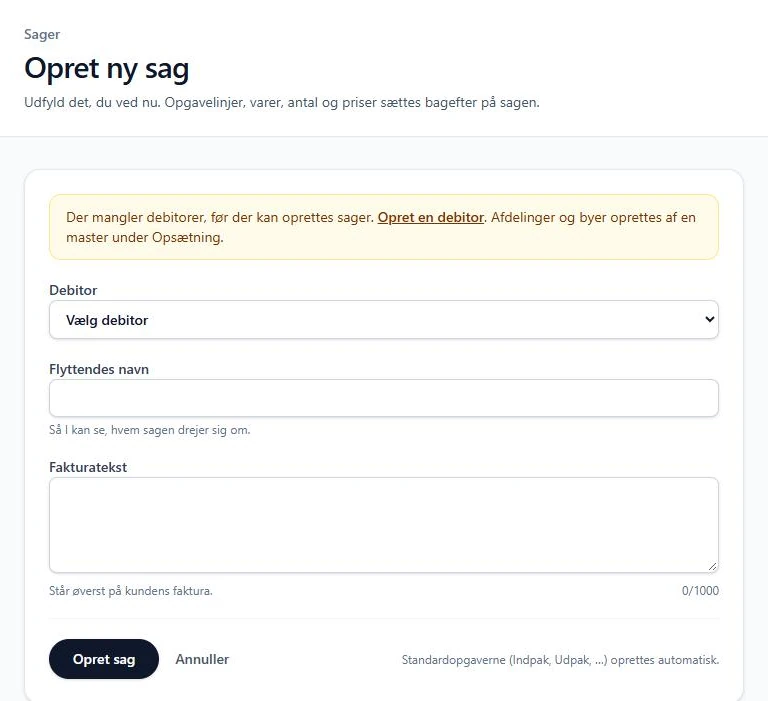
Pick the customer, give the case a name and an invoice text. Standard tasks are created automatically from the setup.
- 02
Collect tasks and costs
Task lines, hours and supplier invoices are collected on the case. The case shows the customer invoice, costs and contribution margin.
- 03
Make the invoice
The invoice draft is created from the case. Item prices come from the customer's price group, and the server calculates the amounts.
- 04
Approve and post
Invoices above a set amount need approval, and you cannot approve your own. The invoice number is assigned at posting, and the PDF is stored unchanged.
What exists in the development version.
Users from Login
- Sign-in goes through the shared Login service. Master users can change the setup. Posting, payments, credit notes and reminders can be limited to selected users.
Cases and tasks
- Cases with addresses, dates, task lines, documents and an activity log. Case types, case fields and task types are set up in the app.
Sales invoices and credit notes
- Draft, release, approval and posting with a gap-free number series. A credit note is made from a posted invoice, in full or in part.
Prices from price groups
- Item prices per price group with quantity tiers and validity dates. If a price is missing, the app stops instead of using 0.
PDF and templates
- Company profile and invoice templates with a preview. An issued PDF is archived, so later changes do not affect it.
Supplier invoices
- Fetch invoices from a mailbox or upload a PDF. The app tries to find the invoice number, amount, due date and case number.
E-invoice as XML
- Peppol BIS Billing 3.0 and OIOUBL 3 can be downloaded as XML. The app does not send the e-invoice itself.
Overview and accounting
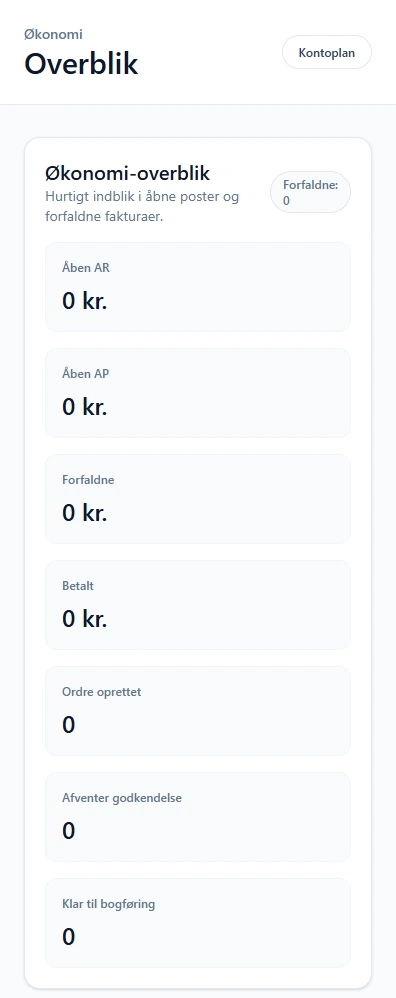
- Role centre with key figures and today's tasks. Chart of accounts, ledger entries, trial balance, payments and reminders.
What is still missing.
The app itself shows that these parts are not finished.
Planned
Connection to Price calculator
The setup page says an external price calculation will be connected later. The connection has not been built.
Planned
Sending e-invoices
The XML file can be downloaded, but the app does not send it. That needs an access point, which has not been chosen yet.
Inside the development version.
Real screenshots from the app, cropped for readability and without personal information. The empty overviews do not demonstrate a completed production workflow.
 View larger screenshot
 View larger screenshot
 View larger screenshot
An idea or a question?
Do you have questions about the systems or the story behind Sulitech? You are welcome to get in touch.