
SULIFLOW / PRICE CALCULATOR
From volume to quoted price.
Pick the route, the move type and the volume. Price calculator works out packing, sea freight, customs, insurance and the rest from the current rates.
Runs as a web app. The connection to case management has not been built yet.
Web-based app in SuliFlow. Can be installed as a PWA.
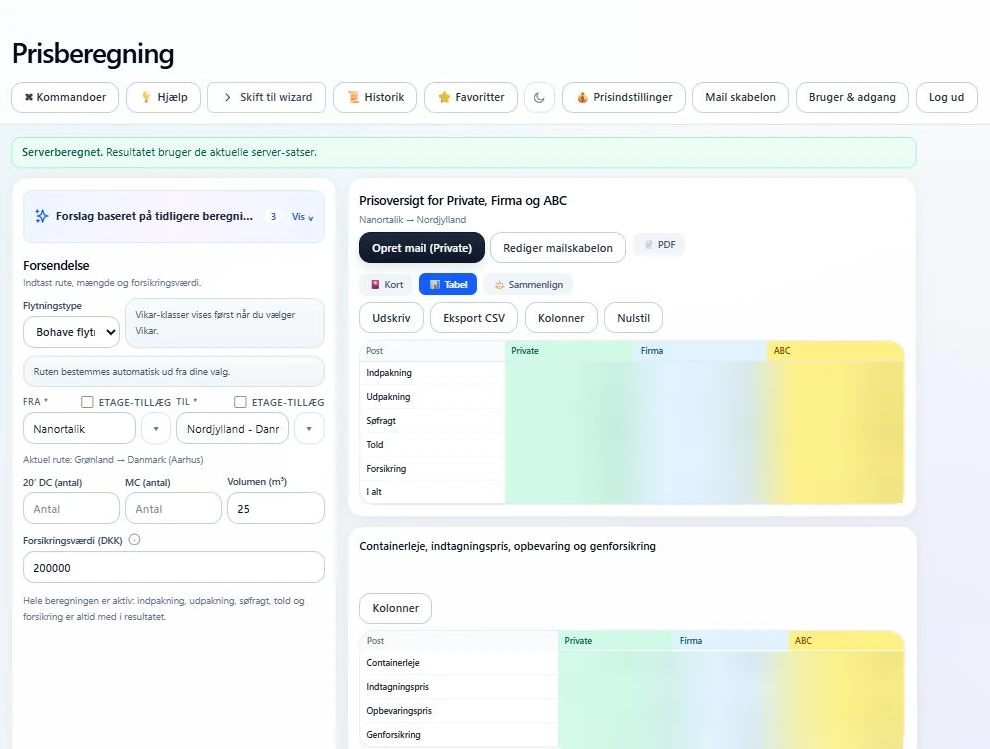 View larger screenshot
The price has to be fast and right.
We calculated sea freight in an Excel sheet that several people shared. Now the rates live in one place, where they are not changed by mistake.
I work at a moving company, and we need to know quickly what a move and the sea freight will cost. The price structure in Price calculator is built around the needs we have at my workplace.
Sea freight follows Royal Arctic Line's price list. It is split into price groups: handling at the port of departure and the port of arrival, a freight price that depends on whether the goods sail from Denmark to Greenland or the other way, a fuel surcharge and other surcharges. With the structure in the app, the freight can be worked out in seconds.
We used to do the calculation in an Excel sheet. Several colleagues worked in the same file, so there was always a risk that a formula or a rate was changed by mistake. In Price calculator only the master user can edit the rates, and every change is saved as a new version.
Price calculator is built so it can be used for any kind of price. You create the items and rates the calculation should be based on and set up the price structure that fits the task. Our moving and freight prices are simply the first setup.
Each user only sees the price groups and price components that the master user has granted. The result can be downloaded as a PDF quote or opened as an email draft in the user's own mail program.
From route to quote.
The price is calculated on the server from the saved rates.
- 01
Pick route and move type
Origin and destination can be towns and settlements in Greenland, zones in Denmark or ports in Europe. The move type can be household goods, temporary staff, students or an internal move within the same town.
- 02
Enter volume and insurance value
Enter the number of containers or m³ and the insurance value. A floor surcharge can be switched on for either address.
- 03
See the price
The price is split into packing, unpacking, pickup, delivery, sea freight, customs and insurance for the price groups the user may see.
- 04
Make the quote
Choose which prices go into the PDF quote, or open an email draft based on the mail template.
What the app does.
Sea freight on Royal Arctic Line's structure
- Handling at both ports, freight by sailing direction between Denmark and Greenland and surcharges such as the fuel surcharge are included in the price.
For any kind of price
- Price calculator is not tied to moving prices. You create the items and rates the calculation should be based on and set up your own price structure.
Several move types
- Household goods, temporary staff, students and internal moves within a town each have their own rules and rates.
Price groups side by side
- The price is calculated for several price groups, shown as cards, in a table or compared.
Storage
- Container rent, intake, storage and re-insurance can be included in the price.
PDF and email draft
- The PDF quote contains the route, the chosen prices and the date. The email draft is based on a template the master user maintains.
Rates in one place
- Only the master user edits the rates, in the app or through Excel. Changes are shown before saving, and earlier versions can be restored, so no one changes a price by mistake.
Access per user
- The master user chooses which price groups, move types and price components each user sees, and whether the user may create email.
Shared Login
- Sign-in goes through the shared Login service. The session closes after inactivity, and the master user can see an audit log and sign users out.
If the connection drops
- If the app loses its connection, it keeps calculating with a local copy of the rates and shows that the result must be checked. PDF and email need a server calculation.
An API is the next step.
The plan is for other systems to get a price from Price calculator. This has not been built yet.
Planned
External price calculation through an API
In the future, Price calculator should work as an external price calculator, where another system sends the task through an API and gets the price back.
Planned
Link to case management
Case management should be able to use the price from Price calculator directly on the case. The connection has not been built yet.
Same calculation, different view.
The result can also be shown as cards with a price breakdown. The amounts are blurred, and cost price and customer-specific price groups are hidden.
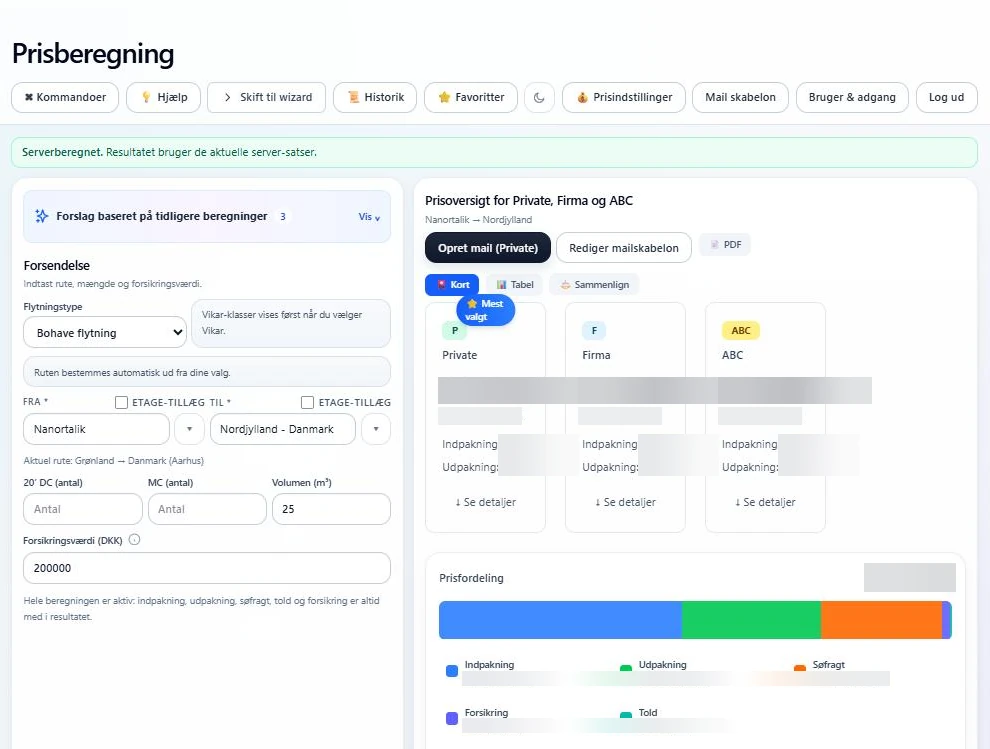 View larger screenshot
An idea or a question?
Do you have questions about the systems or the story behind Sulitech? You are welcome to get in touch.