
SULIFLOW / LABEL APP
One label for each end of the box.
The label app creates labels for moving boxes based on the box count. The result is a PDF the customer can print and attach to the boxes.
Online as a web app that can be installed on a PC. No information is stored.
Standalone web app (PWA) for PC. Not connected to the shared Login.
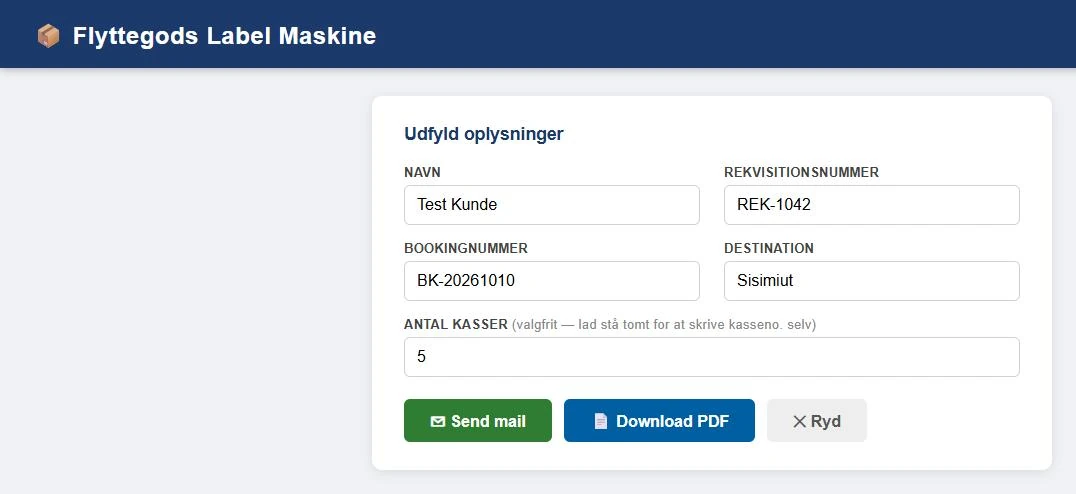 View larger screenshot
The boxes need to reach the right town.
Clear labels on every box reduce the risk of delays and of goods being sorted to the wrong destination.
I developed the label app to create labels for moving boxes. You enter the customer's name, requisition number, booking number, destination and number of boxes. The app creates a PDF with labels.
Each box gets two labels, one for each end. Five boxes give ten labels, numbered from 1 UD AF 5 (1 of 5) to 5 UD AF 5.
If the number of boxes is not known, the field can be left empty. The app then creates two labels with a blank field where the box number is written by hand.
The Send mail button creates the PDF and opens an email draft with a subject and instructions for the customer on how to attach the labels. The recipient and the PDF are added in the email program before sending.
The app stores no information. Everything happens in the browser, and the fields can be cleared with one click.
Fill in. Create the PDF. Send.
Labels are created from the customer details and the box count.
- 01
Fill in the details
Enter name, requisition number, booking number and destination. The number of boxes is optional and can be up to 100.
- 02
Create the PDF
Download PDF produces A4 pages with two labels per page. The file name contains the booking number and date.
- 03
Send to the customer
Send mail opens an email draft with instructions. Attach the PDF, add the recipient and send.
Labelling moving boxes.
Two labels per box
- Each box gets two identical labels with the box number, for example 2 UD AF 5 (2 of 5).
Box number by hand
- Without a box count, two labels are created with a blank field for the box number.
Destination and booking
- The label shows TIL (to) and the destination, the booking number, the customer's name and the requisition number.
A4 PDF
- The PDF is created in the browser with two labels per page and is compressed so it is easy to send.
Email draft with instructions
- The subject consists of the name and requisition number. The text asks the customer to tape the labels on securely, visibly and at both ends of the box.
Installable app
- The app can be installed on a PC and opened in its own window. It updates itself when a new version is available.
One screen, three buttons.
The label app has a single form. The company name and logo have been removed from the images.
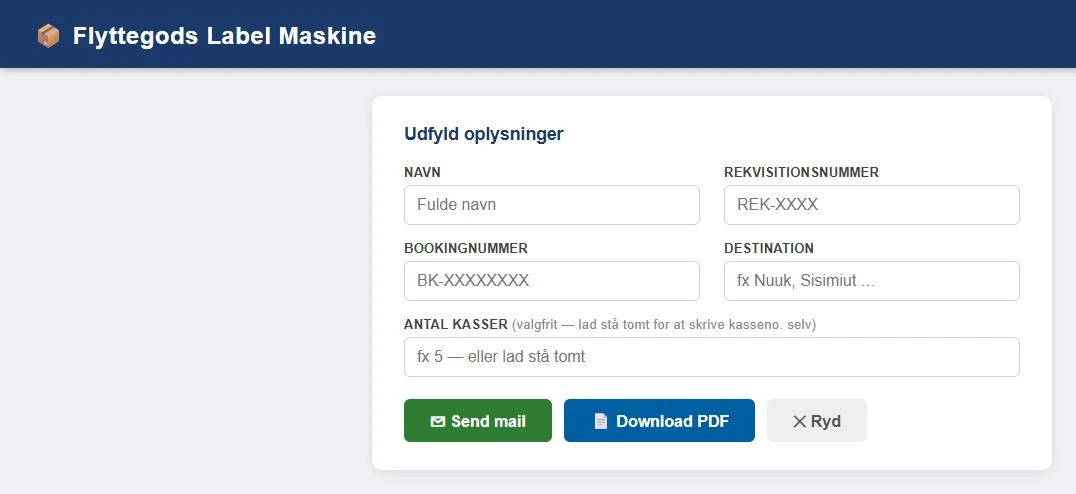 View larger screenshot
An idea or a question?
Do you have questions about the systems or the story behind Sulitech? You are welcome to get in touch.