
SULIFLOW / LOGIN
One entry point. Access as needed.
Login is the shared app where I manage users' access to SuliFlow. A user can only sign in to an app after access has been granted.
Development is ongoing
Web-based and installable as a PWA on computers and mobile phones.
 View larger screenshot
Access managed in one place.
Users, permissions and approvals provide a shared foundation for the other apps.
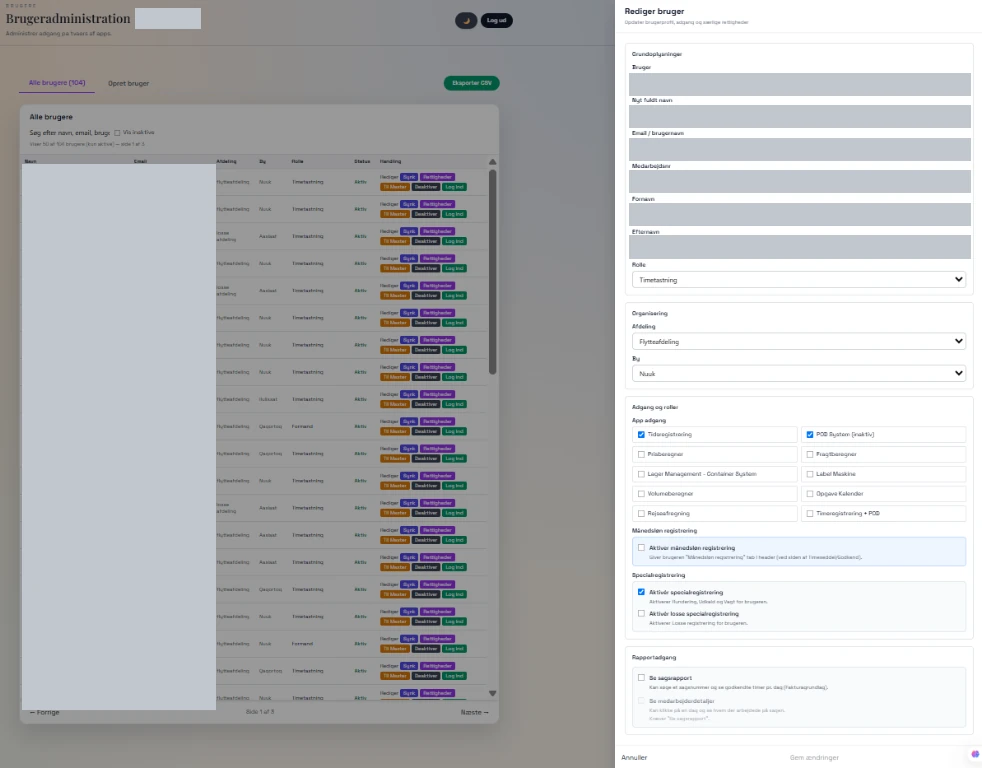
I use Login to manage access to all the apps in one place. Here I can choose which apps each user is allowed to access. Only after I have granted access can the user sign in to the relevant app.
This is also where I create absence types for the Time registration app and adapt the rules to different roles. Access, registration and approval are connected.
From user to approval.
Access and responsibilities are configured centrally so the relevant users can enter information and approve it.
- 01
Create the user and grant app access
Choose the user's role and the apps they may use. Without granted access, the user cannot sign in to the app.
- 02
Choose visible and required fields
In settings, I decide which fields each role can see and which information is required.
- 03
Assign approval responsibilities
Choose which role must approve sickness registrations, holiday requests or recorded hours, for example.
Shared management across apps.
App access for each user
- Grant access to the relevant apps from a single administration interface. Each user can only access the apps selected for them.
Audit log
- The audit log provides history and traceability within administration.
Absence types for Time registration
- Create the absence types that will be used in the Time registration app.
Fields by role
- Settings control which fields different roles can see and which information must be entered.
Approvals by role
- Specify which role approves sickness, holiday requests and recorded hours.
Inside Login.
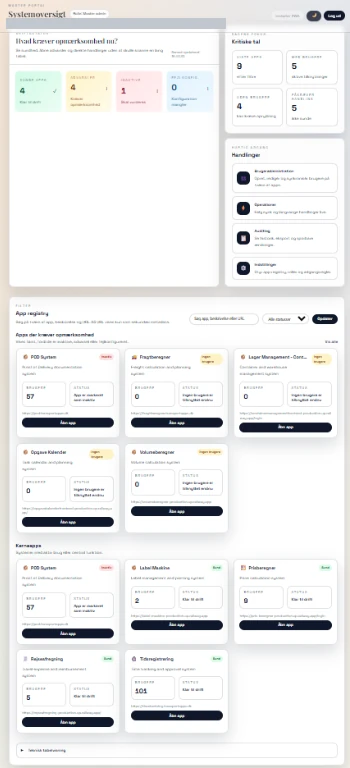
Screenshots from Login show the app overview and user administration. Names, email addresses and employee numbers are permanently redacted in the published copies.
 View larger screenshot
 View larger screenshot
An idea or a question?
Do you have questions about the systems or the story behind Sulitech? You are welcome to get in touch.